 HostiGuard Drive
Your files on every device
Upload in the browser, sync a folder on your Windows PC and take your files with you on iPhone and Android. One HostiGuard account, one cloud storage plan.
Plans from $2.99
 DriveSA
Web
drive.hostiguard.com
Any browser, nothing to install
Microsoft Store
Windows installs and updates it for you

iPhone and Android
The HostiGuard Drive app


Everything you need to keep files safe and close
Sign in everywhere with the same HostiGuard account. Your plan, your folders and your share links are the same on every device.
Two-way sync
Put a file in your Drive folder on Windows and it is uploaded. Change it on the web and it comes back to your PC.
Choose what stays on your PC
Keep only the folders you need on this computer and leave the rest in the cloud.
Share links
Send a link to a file or folder, protect it with a password and turn it off at any time.
Team spaces
Work in shared spaces with your team, separate from your personal files.
Version history and Trash
Go back to an earlier version, or restore a deleted file from Trash within 30 days.
Bandwidth limits and PIN lock
Limit how fast the Windows app uploads and downloads, and lock it with a PIN.
Private or shared plans
Pick dedicated space that only you use, or a shared plan at a lower price.
Starts with Windows
The app runs quietly from the tray and adds HostiGuard Drive to File Explorer.
Manage everything from the browser
Sign in at drive.hostiguard.com with your HostiGuard account. Upload, create folders, search, share and restore from Trash on any computer.
- check_circleDrag and drop uploads
- check_circleSearch across all your files
- check_circleSee your storage at a glance
DriveSync a folder on your PC
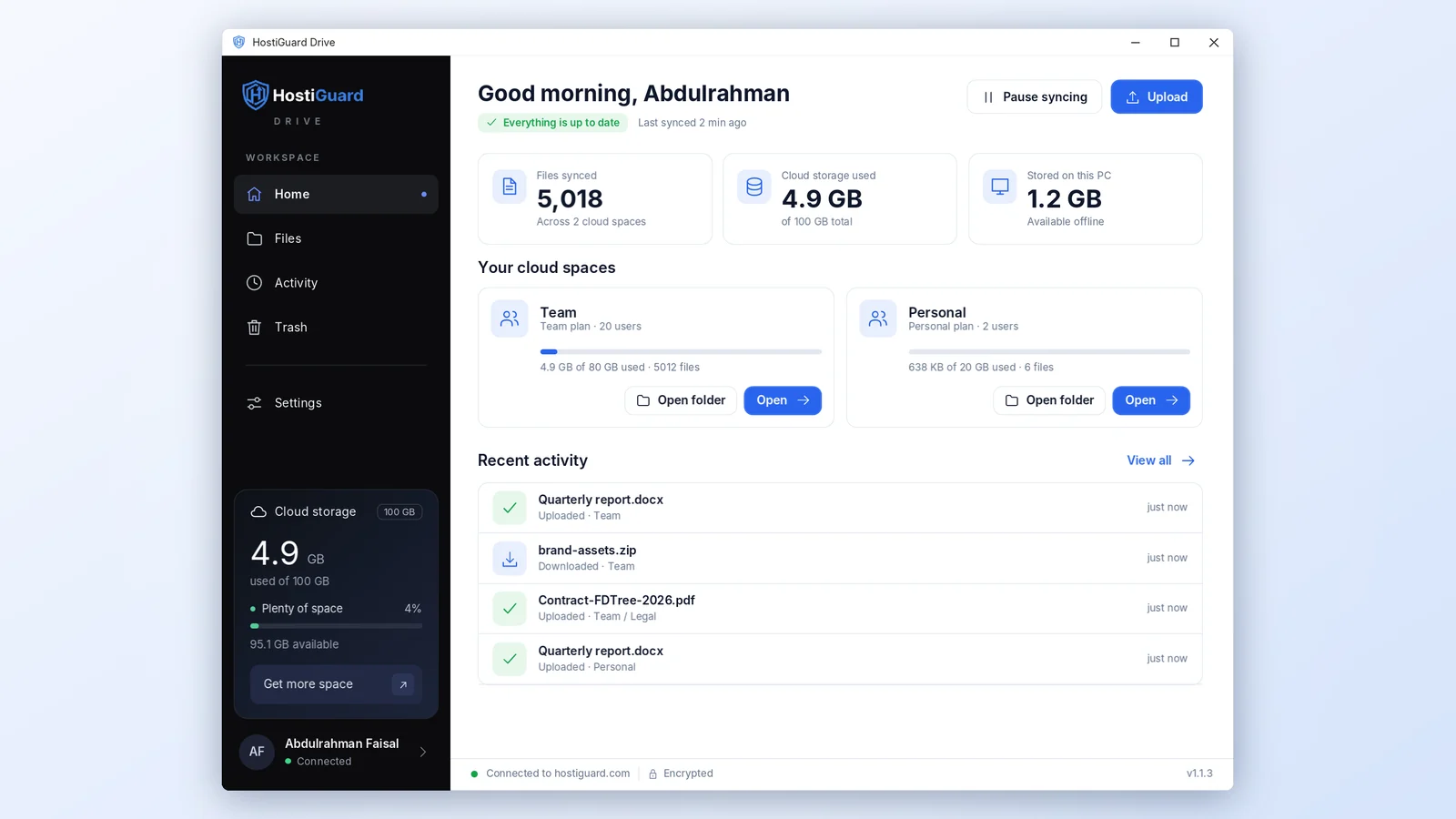
Install it once, sign in and pick a folder. What you put there is uploaded, and changes made on the web or by your team come back to your PC.
- check_circleWorks with File Explorer
- check_circlePause and resume syncing
- check_circleUpdates itself
Your Drive in your pocket
The HostiGuard Drive app for iPhone and Android uses the same account and the same plan as the web and Windows. Until it is in the stores, Drive works in your phone browser.
- check_circleBrowse and open your files
- check_circleUpload photos and documents
- check_circleShare a link in two taps
Start in four steps
Choose a plan
Pick a private or shared Drive plan with the space you need.
Pay and activate
Your space appears in your account as soon as the payment is confirmed.
Sign in
Open drive.hostiguard.com or the app and sign in with your HostiGuard account.
Upload and sync
Upload in the browser or let the Windows app keep a folder in sync.
Where to find Drive in your account
Your plan, its renewal date and the button that opens Drive are in your HostiGuard dashboard.
- 1Sign in at hostiguard.com and open My Account.
- 2In the menu, press Cloud Storage.
- 3Press Open Drive, or go straight to drive.hostiguard.com.
 dashboardDashboard
languageMy Domains
dnsHosting
mailEmail
cloud_uploadCloud Storage2
receipt_longBilling
dashboardDashboard
languageMy Domains
dnsHosting
mailEmail
cloud_uploadCloud Storage2
receipt_longBilling
Get the apps
desktop_windowsWindows
- 1Press Download for Windows.
- 2Open HostiGuardDrive-Setup.exe and follow the steps.
- 3Sign in and choose the folder to keep in sync.
storefrontMicrosoft Store
- 1Open Microsoft Store on your PC.
- 2Search for HostiGuard Drive and press Get.
- 3Windows keeps it up to date for you.
smartphoneiPhone and Android
- 1Open the App Store or Google Play.
- 2Search for HostiGuard Drive and install it.
- 3Sign in with your HostiGuard account.
Is HostiGuard Drive the same as Cloud Storage?add
Do I have to install anything?add
Which versions of Windows are supported?add
Is there an app for iPhone and Android?add
Can I get back a file I deleted?add
Where are my files stored?add
What happens when my plan ends?add
Put your files in the cloud today
Choose a plan, sign in and your Drive is ready on the web, on Windows and on your phone. Plans from $2.99.